
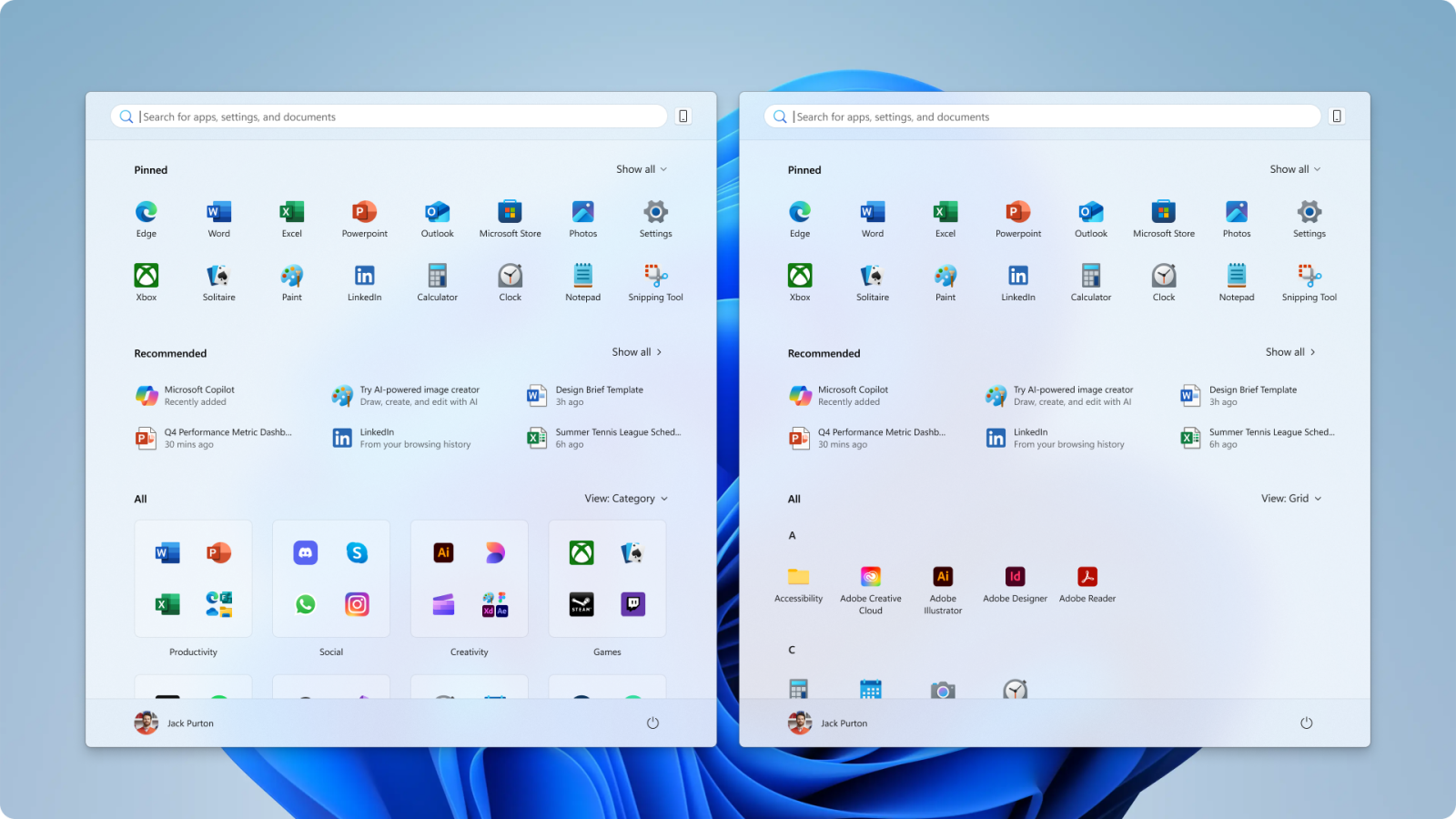
Two new views in the ‘All’ section will make it easier to browse installed apps.
Microsoft has rolled out Windows 11 Insider Preview Build 26200.5641 (KB5060824) to the Dev Channel. This update focuses on making the Start menu the main feature. The redesigned Start menu now places pinned apps at the top, recommended apps and files in the middle, and installed apps grouped by a new category interface at the bottom. Here are some rejected Start menu designs.
Users will have quicker access to their most-used apps and files, and the menu is now scrollable, so users can see all their apps without leaving the main page.
As per Microsoft, two new views in the “All” section will make it easier to browse installed apps. The category view groups apps automatically, while the grid view lists them alphabetically for easier scanning.
The Start menu changes its size and content to fit different screen sizes. On larger screens, you will see more columns for pinned apps, recommendations, and categories. On smaller screens, the layout is more compact.
Sections within the menu, like Pinned and Recommended, can collapse or expand depending on how many items are present, and it is very unlikely that Microsoft and users can turn off recommendations entirely via Settings.
This build also improves the lock screen with more widget options and personalization features. The Windows touch keyboard has improved navigation for the Gamepad layout, along with a new Gamepad keyboard for PIN sign-in. Windows Search settings are now streamlined under Privacy & security, along with various fixes for input, graphics, and settings issues.