
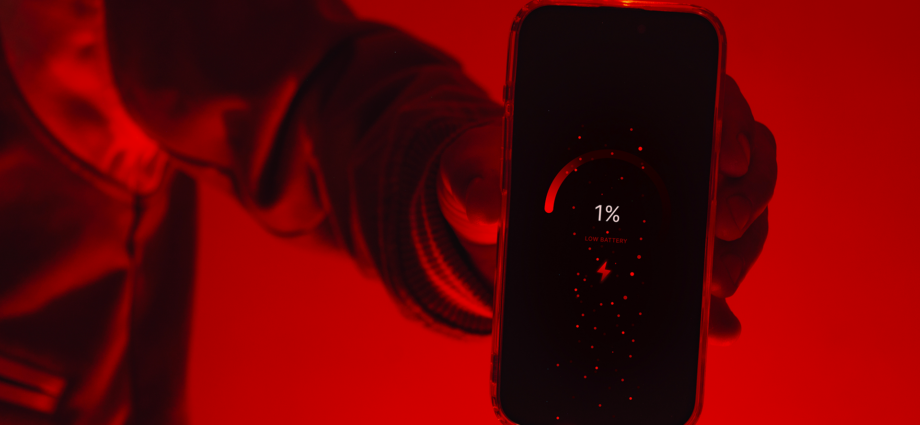
There’s nothing more frustrating than charging your phone to 100% in the morning only to see it drop below 30% before the day ends. Whether you use an Android device or an Apple Inc. iPhone, fast battery drain is one of the most common smartphone complaints today.
But why does it happen so often?
The truth is, your phone’s battery life depends on several hidden factors working in the background — from apps and screen brightness to network signals and battery health. Here’s a simple breakdown of the biggest reasons your battery drains quickly and what you can do about it.
1. Your Screen Is the Biggest Battery Consumer
Your display is usually the number one battery drainer.
Modern smartphones come with bright, high-resolution screens and fast refresh rates that consume a lot of power, especially when:
- Brightness is set too high
- Dark mode is disabled
- Videos and games are running continuously
- Always-on display is enabled
Quick Fix:
- Lower brightness manually
- Enable adaptive brightness
- Use dark mode on OLED screens
- Reduce screen timeout duration
2. Background Apps Never Really Sleep
Many apps continue running even after you close them.
Social media apps, messaging platforms, navigation apps, and streaming services constantly refresh in the background to send notifications and updates.
Apps like:
- TikTok
…can quietly consume significant battery power throughout the day.
Quick Fix:
- Restrict background activity
- Turn off unnecessary notifications
- Remove apps you rarely use
3. Weak Network Signals Drain Battery Faster
Your phone works harder when it struggles to find a signal.
If you’re in areas with:
- Poor mobile reception
- Weak Wi-Fi
- Constant switching between 4G and 5G
…the phone’s modem keeps searching for stronger connections, which rapidly drains the battery.
Quick Fix:
- Use Wi-Fi when possible
- Turn on airplane mode in low-signal areas
- Disable 5G if coverage is unstable
4. Battery Health Naturally Declines Over Time
Phone batteries don’t last forever.
Most smartphones use lithium-ion batteries, which gradually lose capacity after hundreds of charge cycles. Over time, the battery can no longer hold power efficiently.
Common warning signs:
- Battery percentage drops suddenly
- Phone heats up while charging
- Device dies before reaching 0%
- Charging feels unusually slow
Quick Fix:
- Replace old batteries when battery health becomes poor
- Avoid exposing your phone to excessive heat
5. Gaming and Heavy Apps Consume Massive Power
Mobile games, video editing apps, and AI-powered tools demand intense processing power.
Games with advanced graphics and apps that use the camera, GPS, or live streaming can drain battery surprisingly fast.
Examples include:
- PUBG MOBILE
- Call of Duty: Mobile
- YouTube
Quick Fix:
- Reduce graphics settings in games
- Close unused apps while gaming
- Use battery saver mode
6. Too Many Features Stay Turned On
Your phone constantly uses power for features you may not even notice.
These include:
- Bluetooth
- GPS/location services
- NFC
- Hotspot sharing
- Voice assistants
- Auto-sync services
Even when idle, these services can slowly drain battery life.
Quick Fix:
Turn off features you’re not actively using.
7. Extreme Temperatures Affect Battery Performance
Heat is one of the biggest enemies of smartphone batteries.
Leaving your phone:
- Under direct sunlight
- Inside a hot car
- Charging under pillows or blankets
…can damage the battery and reduce long-term lifespan.
Cold weather can also temporarily reduce battery efficiency.
Quick Fix:
Keep your phone in moderate temperatures and avoid overheating while charging.
Frequently Asked Questions (FAQ)
Why does my phone battery drain overnight?
Background apps, notifications, poor network signals, or features like Wi-Fi and Bluetooth staying active overnight can cause battery loss while you sleep.
Is fast charging bad for battery life?
Modern phones are designed to handle fast charging safely, but excessive heat during charging may slowly affect long-term battery health.
Should I charge my phone to 100% every time?
Not necessarily. Many experts recommend keeping battery levels between 20% and 80% when possible to extend battery lifespan.
Why does my battery drain faster after an update?
Software updates sometimes introduce new background processes, bugs, or features that temporarily increase battery usage until apps become optimized.
How long should a smartphone battery last?
Most lithium-ion smartphone batteries maintain good performance for about 2–3 years before noticeable degradation begins.
Final Thoughts
Fast battery drain is usually caused by a combination of screen usage, background apps, network conditions, and aging hardware. The good news is that small adjustments can significantly improve your phone’s battery life.
Simple habits like reducing brightness, limiting background apps, and avoiding overheating can help your device last longer throughout the day — and even extend the overall lifespan of the battery itself.