
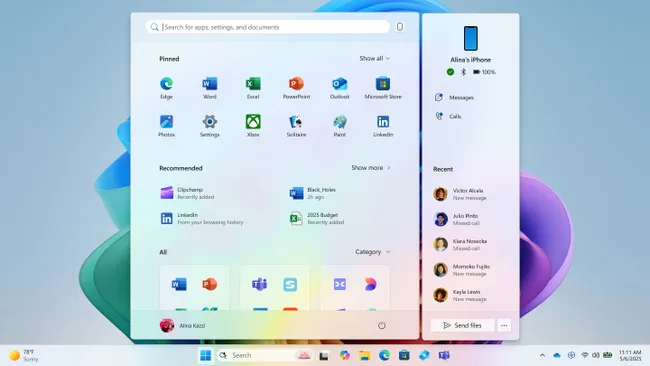
The Windows 11 Start menu is getting a more customizable layout with a collapsible Phone Link panel
Microsoft has officially announced its new Start menu experience for Windows 11, which features a new, more customizable layout and deeper integration with Windows Phone Link.
The new Start menu first leaked last month, revealing that the company was working on a unified layout that combined the all apps list with the main Start menu interface.
There’s the traditional list view, a new grid list view, and a new category view, which will automatically group your installed apps into “folders” similar to the App Shelf on iOS and iPadOS.
On the right, the Phone Link companion shows an overview of your smartphone, including current battery level and connection status, along with recent photos and messages. The companion can be hidden from view at any point by pressing the collapse button next to the search bar in the Start menu.
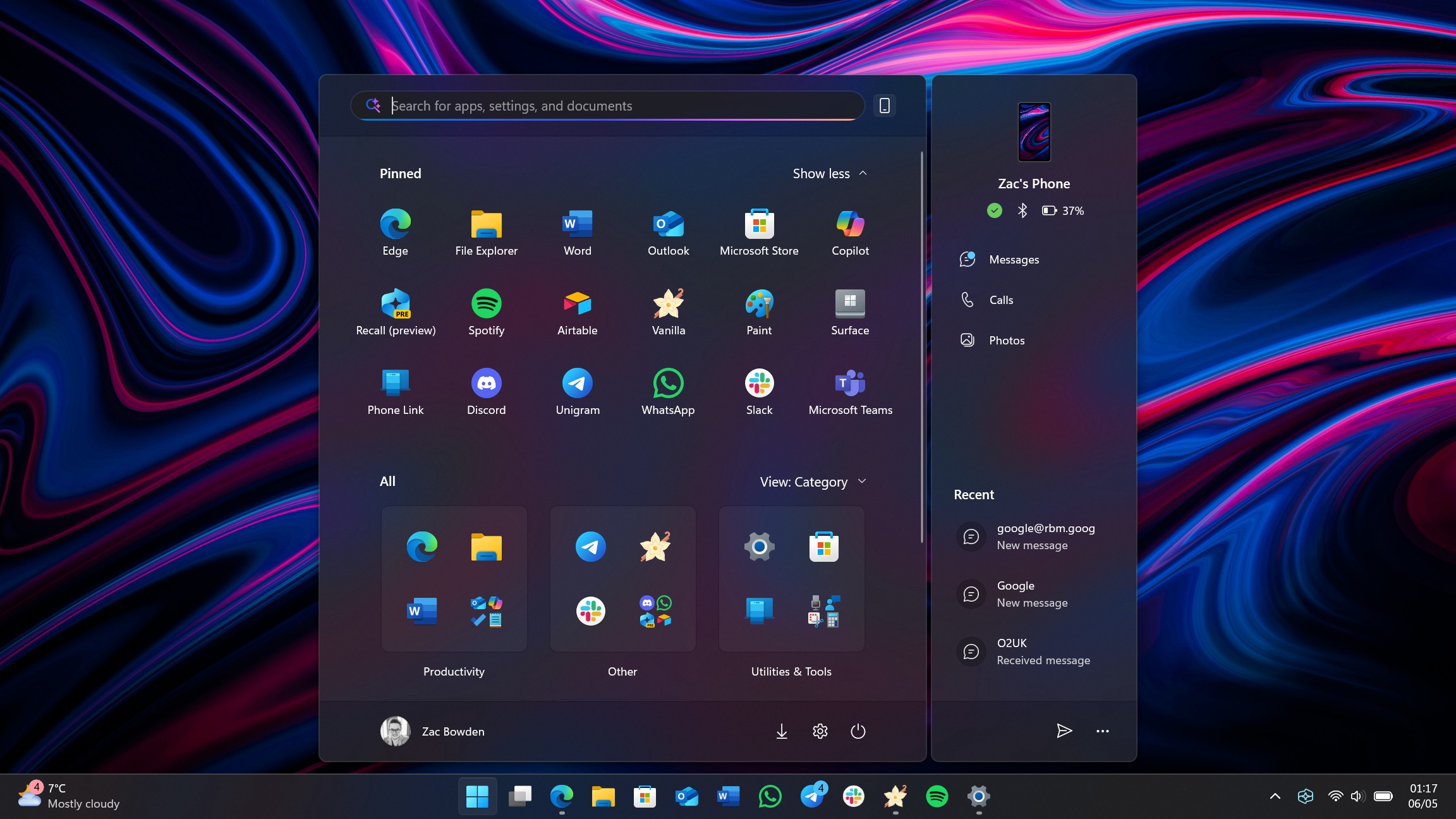
The new Start menu is more customizable, too. It allows you to show all your pinned apps by default. You can also hide the Recommended feed, meaning you can make the Start menu show a complete page of pinned apps above your all apps list if that’s something you want.
That new Start menu is now official, announced as part of a wider wave of new features coming soon to Windows 11. The new Start menu includes three different views for the all apps list, which now appears at the very bottom of the main Start menu page.